
Animated Seamless Carousels Templates and Guides For Canva + Nostalgia edition
Course Description
Animated Seamless Carousels Templates and Guides For Canva + Nostalgia edition
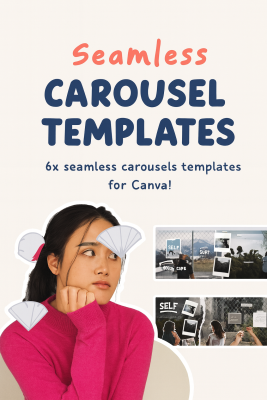
Scrolling through social feeds has never been noisier. Everyone’s posting, everyone’s competing, and most content disappears in seconds. The Animated Seamless Carousels Templates and Guides For Canva + Nostalgia edition course gives you the unfair advantage you’ve been looking for—seamless storytelling paired with motion and nostalgia that your audience can’t ignore.
This isn’t just about making pretty slides. It’s about creating carousels that work like mini landing pages—posts that hook attention on the first swipe, guide the viewer slide by slide, and end with real results: clicks, saves, and shares. Inside the Animated Seamless Carousels Templates and Guides For Canva + Nostalgia edition course, you’ll learn to blend retro-inspired aesthetics with strategic animation so your brand stands out, your message sticks, and your content performs.
Why This Course Works
Look, generic templates are everywhere. You’ve probably downloaded a few yourself—flat designs that look nice but flop when it comes to engagement. The problem? They don’t teach you why the design works or how to adapt it to your story. You end up with cookie-cutter posts that don’t move the needle.
The Animated Seamless Carousels Templates and Guides For Canva + Nostalgia edition course fixes that. It combines ready-to-use templates with a design strategy you can apply immediately. You’ll learn why seamless transitions matter, how motion guides attention, and how Nostalgia creates emotional stickiness in feeds full of noise. This isn’t guesswork—it’s a framework.
By the end, you’ll have a repeatable system that delivers professional, scroll-stopping carousels without needing advanced design skills or external software.
What You’ll Gain
Inside the Animated Seamless Carousels Templates and Guides For Canva + Nostalgia edition course, you’ll go beyond surface-level design. You’ll walk away with practical skills and templates that transform your carousel workflow:
- Seamless Design Mastery – Align visuals edge-to-edge across slides so carousels feel fluid and professional. No awkward cuts, no jarring gaps—just smooth storytelling.
- Purposeful Animation – Use Canva’s motion features to highlight CTAs, guide eye movement, and boost dwell time. Subtle, strategic animation that increases engagement without overwhelming your audience.
- Retro Branding Cohesion – Apply nostalgic palettes, textures, and typography from the 80s–00s to create a unique, on-brand look that feels fresh yet familiar.
- Narrative Flow Systems – Structure tips, lessons, or offers into logical sequences: hook, context, value, proof, and call-to-action—so every carousel educates and converts.
- Content Scaling Framework – Batch-create carousels using plug-and-play templates, freeing you from design paralysis and keeping your calendar consistent.
These outcomes aren’t just creative wins—they’re business results. More saves, more shares, more recognition, and more inbound leads.
About the Course Creator
The Animated Seamless Carousels Templates and Guides For Canva + Nostalgia edition course wasn’t built by chance. It’s rooted in the psychology of motion, storytelling, and brand design. The methodology blends proven marketing frameworks with Canva’s accessible tools, so you get agency-level results without agency-level budgets.
Every template, animation cue, and design tip is shaped by one principle: helping creators, coaches, and brands cut through the clutter with content that performs. This is why students—from solo founders to social media managers—swear by these guides.
Who This Course Is For
The Animated Seamless Carousels Templates and Guides For Canva + Nostalgia edition course is designed for anyone who wants to stop blending in and start creating posts that move people.
You’ll benefit most if:
You’re a social media manager who needs efficient, on-brand templates that save time and increase engagement.
You’re a creator, coach, or educator who wants to turn lessons into visual stories that stick and attract new clients.
You’re a small brand or solo founder who needs a recognizable style—fast—without hiring a designer.
If your content feels flat or forgettable, this course will give you the system to flip that script.
Inside the Retro-Modern Carousel Lab
The Animated Seamless Carousels Templates and Guides For Canva + Nostalgia edition course is structured as a toolkit and a strategy guide in one. You don’t just watch lessons—you apply templates, ship posts, and see results.
Seamless Foundations – Learn grids, bleed edges, and export settings so every carousel looks polished and swipe-ready.
Motion with Meaning – Master animation timing, easing, and hierarchy. Discover how to use movement as emphasis, not decoration.
Nostalgia Aesthetics Toolkit – Apply curated palettes, textures, and typefaces that evoke retro vibes while staying modern and accessible.
Content Architecture & Scaling – Turn any idea into a five- to ten-slide story. Build hooks, deliver value, and finish with CTAs that drive measurable action.
By the end, you’ll not only know how to design carousels—you’ll have a system that makes them fast, repeatable, and effective.
Proof from Students
Real creators are already using the Animated Seamless Carousels Templates and Guides For Canva + Nostalgia edition course to level up.
“I used two templates the first week and saw a 62% lift in saves and three new client leads. My content finally felt worth the effort.”
“Switching to nostalgic layouts cut my design time from two hours to 35 minutes per carousel. Engagement went up, and my content calendar finally feels sustainable.”
These aren’t isolated wins—they’re the natural outcome of combining design clarity, retro branding, and content strategy in one system.
FAQs: Animated Seamless Carousels Templates and Guides For Canva + Nostalgia Edition Course
Do I need Canva Pro?
No. Core templates and animations work in Canva Free. Pro gives you extra fonts, stock, and exports, but you’ll get professional results without it.
How fast can I publish my first carousel?
Most students go live within 48–72 hours. Templates are plug-and-play—you customize, animate, export, and post.
Will this work if I’m not a designer?
Yes. The system is built for beginners. Templates handle structure, while walkthroughs explain the why behind each step.
What access do I get?
Lifetime access to templates, nostalgia packs, updates, and troubleshooting guides. You’ll always be able to return and refine.
What results can I expect?
Typical outcomes after two to three weeks include longer dwell time, higher save rates, and more profile clicks—all trackable metrics tied to better engagement.
The Animated Seamless Carousels Templates and Guides For Canva + Nostalgia edition course gives you the tools to create carousels that stop the scroll, tell better stories, and convert attention into action. With retro design, strategic motion, and repeatable templates, your content will finally stand out in the feed—and keep people swiping.
Enrol today to unlock your carousel toolkit, publish confidently, and build a brand aesthetic your audience won’t forget. For more growth-focused programs, visit udcourse.com. Your next high-performing carousel is only a few clicks away—start with the Animated Seamless Carousels Templates and Guides For Canva + Nostalgia edition course.
Related Products

E-COMMERCE