
Designchamps – Become UI design job ready in 30 days
Course Content
See exactly what's inside before you buy.
Course Description
Designchamps – Become UI design job ready in 30 days
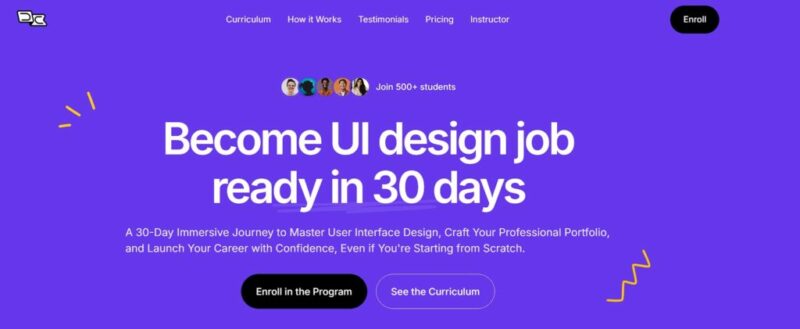
Designchamps – Become UI Design Job Ready in 30 Days: Fast-Track Your Career in UI Design
In today’s competitive digital world, strong user interface (UI) design is crucial to the success of websites and apps. Designchamps—Become UI Design Job Ready in 30 Days is an intensive, hands-on course that prepares aspiring UI designers to launch their careers quickly. Whether you’re a beginner or someone transitioning from another field, this course offers a practical, focused approach to becoming a professional UI designer in just one month.
This fast-track program is designed for those wanting to rapidly gain industry-ready skills. Combining theoretical knowledge with real-world applications ensures that you not only understand the key concepts of UI design but also acquire the practical skills needed to execute them. The course emphasizes hands-on projects, mentorship, and real-world simulations, giving you the tools and experience you need to stand out as a UI designer.
Why Choose Designchamps?
What Makes the Designchamps Course Different?
Designchamps – Become UI Design Job Ready in 30 Days stands out due to its tailored approach to the needs of aspiring UI designers. The course is designed to equip students with the knowledge and practical skills required in today’s competitive job market. Below are a few key reasons why this course is worth investing in:
- Short Duration: This course is perfect for individuals looking to make a career transition or speed up their professional development. In 30 days, you can learn and apply all the essential UI design principles to kickstart your career.
- Comprehensive Curriculum: Covering everything from design basics to advanced concepts, the curriculum ensures you’re job-ready and equipped with the necessary tools for success.
- Hands-On Projects: The course includes practical, real-world projects that simulate real industry tasks. This will help you build a portfolio that shows your versatility and problem-solving skills to potential employers.
Why is Becoming UI Design Job Ready in 30 Days a Smart Investment?
For those interested in pursuing a career in design, learning UI design can open up exciting job opportunities in tech, marketing, and other industries that rely heavily on digital interfaces. With this course, you’ll learn to create beautiful and functional designs and gain the skills that are highly sought after by hiring companies. Moreover, Designchamps offers mentorship and guidance to help you overcome challenges and refine your designs, which accelerates the learning process.
What Will You Learn in the Designchamps Course?
What Are the Fundamentals of UI Design?
Module 1: Fundamentals of UI Design is where you’ll start your journey as a UI designer. This module lays the foundation for all the skills you will learn throughout the course. You’ll cover the essential design principles that form the backbone of great UI design:
- Understanding Key Design Principles: This includes alignment, contrast, hierarchy, and balance, which are fundamental for creating designs that are visually appealing and user-friendly.
- Basics of Color Theory: You’ll learn how to use color effectively and understand how it impacts emotions and user experience.
- Typography and Visual Design: This section focuses on the importance of typography in UI design, from choosing the right fonts to designing for readability and accessibility.
- User-Centered Design: Learn the importance of designing with the user in mind, focusing on usability and accessibility. You will gain insights into how to tailor your designs to the needs and expectations of users.
With these core skills, you’ll be able to create designs that look great and work well for the end user, improving their overall experience.
How Do You Use Tools and Technologies for UI Design?
Module 2: Tools and Technologies introduces you to the essential tools used in UI design. You’ll gain hands-on experience with:
- Figma, Sketch, and Adobe XD: These are the most widely used design tools in the industry today. You’ll get an introduction to their key features, workflows, and how to use them effectively.
- Prototyping and Wireframing Essentials: Learn how to create wireframes and prototypes for testing ideas and getting feedback early in the design process. These tools help you visualize the user journey and test designs before implementation.
- Design Plugins and Systems: This module will also cover how to use plugins and design systems to speed up your workflow, ensuring consistency across your designs.
By mastering these tools, you’ll be able to execute your designs more efficiently, helping you meet deadlines and improve productivity.
How Do You Design for Modern Interfaces?
Module 3: Designing for Modern Interfaces focuses on how to create responsive, intuitive, and accessible designs that work seamlessly across multiple devices. You’ll learn about:
- Responsive Design Principles: Understand how to design for both web and mobile platforms, ensuring your designs look and function well on any screen size.
- Creating Intuitive Navigation and Interactive Elements: Learn how to design navigation systems and interactive elements that improve usability and guide users through the interface smoothly.
- Best Practices for Accessibility and Usability: This section teaches you how to ensure your designs are accessible to all users, including those with disabilities. You’ll learn about WCAG guidelines and how to implement them in your designs.
By the end of this module, you’ll be equipped to create modern, responsive, and user-friendly interfaces that meet the highest standards of design.
How Do You Build a Strong Portfolio?
Module 4: Building a Portfolio helps you showcase your design skills in the best light. You’ll learn how to build a portfolio that stands out to potential employers or clients. This module covers:
- Selecting Projects to Showcase: Choose projects that demonstrate your versatility and creativity. You’ll learn which types of work to include to show a range of skills and design thinking.
- Structuring Case Studies: Learn how to create compelling case studies that highlight your problem-solving abilities, design process, and final product. Employers want to see how you approach design challenges, so presenting your work effectively is key.
- Presenting Your Portfolio: This module also includes tips on how to present your portfolio professionally, whether you’re showcasing it online or in-person during interviews.
A strong portfolio is crucial for landing your first job as a UI designer, and this module ensures that you have the tools to create one that will impress.
How Does Designchamps Work?
How Are Lessons Structured?
The course is designed to be immersive and practical. You’ll receive 2-3 hours of online lessons per day, led by expert instructors with real-world experience in UI design. These lessons are carefully structured to ensure that you build your knowledge and skills progressively, from the basics to more advanced topics.
What Are the Assignments and Projects Like?
Each module includes regular assignments to help you apply what you’ve learned. These hands-on tasks will reinforce your learning and allow you to receive feedback from your instructors.
In addition to assignments, weekly projects simulate real-world design tasks, so you can practice the skills you’ve acquired in a realistic setting. By working on projects, you’ll gain the confidence needed to take on professional UI design jobs.
How Is Mentorship Incorporated?
Mentorship is a key part of the Designchamps experience. You’ll have access to one-on-one mentorship sessions where you can discuss challenges, refine your designs, and receive personalized guidance. This support is invaluable in helping you grow as a designer and navigate the learning process.
Who Should Enroll in the Designchamps Course?
Designchamps – Become UI Design Job Ready in 30 Days is perfect for a variety of individuals, including:
- Beginners: If you have no prior design experience but are passionate about UI design, this course is for you. You’ll learn all the fundamentals and gain the skills necessary to land your first job in the field.
- Graphic Designers: If you’re already a graphic designer and want to transition into UI design, this course will give you the tools to make that switch.
- Freelancers: Freelancers looking to expand their skill set and offer UI design services will find this course incredibly valuable.
- Anyone Passionate About Design: If you’re interested in creating intuitive, user-centered designs that enhance the digital experience, this course provides everything you need to succeed.
Conclusion: Take the First Step Towards a Rewarding UI Design Career
Designchamps – Become UI Design Job Ready in 30 Days is a fast-track course that equips you with everything you need to start a successful career in UI design. With hands-on projects, expert mentorship, and a comprehensive curriculum, you’ll gain the skills and confidence to create beautiful, functional user interfaces that meet the highest industry standards.
Enroll today and transform your passion for design into a profession in just 30 days!
Related Products

E-COMMERCE


- 0. Day 0
- 1. Transcript.pdf
- 1. Welcome to the Program.pdf
- 1. Welcome to the Program.ts
- 2. Get Stuff Installed.ts
- 2. Transcript.pdf
- 3. Figma Basics.pdf
- 3. Figma Basics.ts
- 3. Transcript.pdf
- 1. Day 1
- 1. Trancripts.pdf
- 1. UX Design vs UI Design.mp4
- 1. UX Design vs UI Design.pdf
- 2. The UI Design Process.pdf
- 2. The UI Design Process.ts
- 2. Trancripts.pdf
- 3. Good vs Great Design.pdf
- 3. Good vs Great Design.ts
- 3. Trancripts.pdf
- 4. Secrets of the industry.pdf
- 4. Secrets of the industry.ts
- 4. Trancripts.pdf
- 5. 1.5 NFT – Figma.pdf
- 5. Figma Advanced.pdf
- 5. Figma Advanced.ts
- 5. Trancript.pdf
- 10. Day 10
- 1. 10.1 Modern Minimal UI – Figma.pdf
- 1. Modern Minimal UI Style.pdf
- 1. Modern Minimal UI Style.ts
- 1. Transcript.pdf
- 2. Modern Minimal UI Design.ts
- 2. Transcript.pdf
- 3. Bold design choices.ts
- 3. Transcript.pdf
- 4. 10.3 Borders & Corners – Figma.pdf
- 4. Borders and Corners.pdf
- 4. Borders and Corners.ts
- 4. Transcript.pdf
- 5. 10.4 Opacity, Blur, Effects – Figma.pdf
- 5. Opacity, Blur, Effects.pdf
- 5. Opacity, Blur, Effects.ts
- 5. Transcript.pdf
- 6. Day 10 Overview.pdf
- 6. Day 10 Overview.ts
- 6. Transcript.pdf
- 11. Day 11
- 1. Form vs Function.pdf
- 1. Form vs Function.ts
- 1. Trancript.pdf
- 2. 11.2 Establishing Your Design Direction – Figma.pdf
- 2. Establishing your design direction.pdf
- 2. Establishing your design direction.ts
- 2. Trancript.pdf
- 3. Trancript.pdf
- 3. UI Styles.pdf
- 3. UI Styles.ts
- 4. Mobile UI Pattern Overview.pdf
- 4. Mobile UI Pattern Overview.ts
- 4. Trancript.pdf
- 5. Desktop UI Pattern Overview.pdf
- 5. Desktop UI Pattern Overview.ts
- 5. Trancript.pdf
- 6. Day 11 Overview.pdf
- 6. Day 11 Overview.ts
- ?
- 12. Day 12
- 1. 12.1 Scaling Design – Figma.pdf
- 1. Scaling Design.pdf
- 1. Scaling Design.ts
- 1. Transcript.pdf
- 2. 12&13 UI Patterns – Figma.pdf
- 2. Buttons.pdf
- 2. Buttons.ts
- 2. Transcript.pdf
- 3. Toggles, Checkboxes, Radios.pdf
- 3. Toggles, Checkboxes, Radios.ts
- 3. Transcript.pdf
- 4. Inputs & Forms.pdf
- 4. Inputs & Forms.ts
- 4. Transcript.pdf
- 5. Lists.pdf
- 5. Lists.ts
- 5. Transcript.pdf
- 6. Paginations & Counters.pdf
- 6. Paginations & Counters.ts
- 6. Transcript.pdf
- 7. Day 12 Overview.pdf
- 7. Day 12 Overview.ts
- 7. Transcript.pdf
- 13. Day 13
- 1. States.pdf
- 1. States.ts
- 1. Transcript.pdf
- 2. Navigation.pdf
- 2. Navigation.ts
- 2. Transcript.pdf
- 3. Modals & Slide Up Cards.pdf
- 3. Modals & Slide Up Cards.ts
- 3. Transcript.pdf
- 4. Cards.pdf
- 4. Cards.ts
- 4. Transcript.pdf
- 5. Tables.pdf
- 5. Tables.ts
- 5. Transcript.pdf
- 6. List & Detail Screens.pdf
- 6. List & Detail Screens.ts
- 6. Transcript.pdf
- 7. Day 13 Overview.pdf
- 7. Day 13 Overview.ts
- 7. Transcript.pdf
- 14. Day 14
- 1. 14 The Digital Medium – Figma.pdf
- 1. Knowing the Medium & Comparing Platforms.pdf
- 1. Knowing the Medium & Comparing Platforms.ts
- 1. Trancript.pdf
- 2. Desktop-Mobbin.pdf
- 2. Desktop-Mobbin.ts
- 2. Trancript.pdf
- 3. 0 - Apple Design Resources – iOS 17 and iPadOS 17.pdf
- 3. Mobile- iOS.ts
- 3. Trancript.pdf
- 4. 0 - Material 3 Design Kit (Community) – Figma.pdf
- 4. Mobile- Android.pdf
- 4. Mobile- Android.ts
- 4. Trancript.pdf
- 5. Day 14 Overview.pdf
- 5. Day 14 Overview.ts
- 5. Trancript.pdf
- ?
- 15. Day 15
- 1. 15.1 Wireframe – FigJam.pdf
- 1. Design a Photo-Sharing App - Setup.ts
- 1. Trancript.pdf
- 2. 15.2 Design – Figma.pdf
- 2. Design a Photo sharing app - Design Part 1.pdf
- 2. Design a Photo sharing app - Design Part 1.ts
- 2. Trancript.pdf
- 3. Design a Photo sharing app - Design Part 2.ts
- 3. Trancript.pdf
- 4. More than one way, Min-Max Width & Flex.mp4
- 4. Trancript.pdf
- 5. Day 15 Overview.pdf
- 5. Day 15 Overview.ts
- 5. Trancript.pdf
- 16. Day 16
- 1. 16 Prototyping Basics – Figma.pdf
- 1. Basic Prototyping.pdf
- 1. Basic Prototyping.ts
- 1. Transcript.pdf
- 2. Transcript.pdf
- 2. Triggers, Interaction, Easing & Timing.pdf
- 2. Triggers, Interaction, Easing & Timing.ts
- 3. Prototype Settings.pdf
- 3. Prototype Settings.ts
- 3. Transcript.pdf
- 4. Prototype Finish & Day 16 Overview.pdf
- 4. Prototype Finish & Day 16 Overview.ts
- 4. Transcript.pdf
- 17. Day 17
- 1. 17.1 Positioning_ Scrolling, Fixed, Sticky.pdf
- 1. Positioning- Scrolling, Fixed, Sticky.pdf
- 1. Positioning- Scrolling, Fixed, Sticky.ts
- 1. Trancript.pdf
- 2. 17.2 Smart Animate – Figma.pdf
- 2. Smart Animate.pdf
- 2. Smart Animate.ts
- 2. Trancript.pdf
- 3. 17.3 Interactive Components – Figma.pdf
- 3. Interactive Components.pdf
- 3. Interactive Components.ts
- 3. Trancript.pdf
- 4. 17.4 Mastering Animation – Figma.pdf
- 4. Mastering Animation.pdf
- 4. Mastering Animation.ts
- 4. Trancript.pdf
- 5. Day 17 Overview.pdf
- 5. Day 17 Overview.ts
- 5. Trancript.pdf
- 19. Day 19
- 1. 19.1 Off Screen Menu – Figma.pdf
- 1. Design an Off-Screen Menu.ts
- 1. Trancript.pdf
- 2. 19.2 Build 10 Interactions – Figma.pdf
- 2. Build 10 Interactions.ts
- 2. Trancript.pdf
- 3. 19.2 Loading & Lottie – Figma.pdf
- 3. Loading & Lottie.pdf
- 3. Loading & Lottie.ts
- 3. Trancript.pdf
- 4. Day 19 Overview.pdf
- 4. Day 19 Overview.ts
- 4. Trancript.pdf
- 2. Day 2
- 1. Trancript.pdf
- 1. User Centered Design.pdf
- 1. User Centered Design.ts
- 2. Qualitative & Quantitative Research.pdf
- 2. Qualitative & Quantitative Research.ts
- 2. Trancript.pdf
- 3. Trancript.pdf
- 3. User Persona Overview.pdf
- 3. User Persona Overview.ts
- 4. 2.4 Wireframes – Figma.pdf
- 4. Blocking out Wireframes (Low-Fi Designs).pdf
- 4. Blocking out Wireframes (Low-Fi Designs).ts
- 5. Project- Establish your Mediation App.pdf
- 5. Project- Establish your Mediation App.ts
- 5. Trancript.pdf
- 6. Day 2 Overview.pdf
- 6. Day 2 Overview.ts
- 6. Trancript.pdf
- 20. Day 20
- 1. 20.2 Design Documentation & File Org.pdf
- 1. Handoff & Delivery.ts
- 1. Trancript.pdf
- 2. Design Documentation & File Organization.pdf
- 2. Design Documentation & File Organization.ts
- 2. Trancript.pdf
- 3. Redlines, Specs, & Dev Mode.pdf
- 3. Redlines, Specs, & Dev Mode.ts
- 3. Trancript.pdf
- 4. Organization Challenge & Day 20 Overview.pdf
- 4. Organization Challenge & Day 20 Overview.ts
- 4. Trancript.pdf
- ?
- 21. Day 21
- 1. Trancript.pdf
- 1. Understanding Development.pdf
- 1. Understanding Development.ts
- 2. Project Management for UI Designers.pdf
- 2. Project Management for UI Designers.ts
- 2. Trancript.pdf
- 3. 21-29 Capstone Project – Figma.pdf
- 3. Capstone Project- Exploration.pdf
- 3. Capstone Project- Exploration.ts
- 3. Trancript.pdf
- 4. Day 21 Overview.pdf
- 4. Day 21 Overview.ts
- 4. Trancript.pdf
- 22. Day 22
- 1. 0 - User Flow Kit – Figma.pdf
- 1. Capstone Project- User Flows & Personas.pdf
- 1. Capstone Project- User Flows & Personas.ts
- 1. Trancript.pdf
- 2. Capstone Project- Concepting & Translating.pdf
- 2. Capstone Project- Concepting & Translating.ts
- 2. Trancript.pdf
- 3. Day 22 Overview.pdf
- 3. Day 22 Overview.ts
- 3. Trancript.pdf
- 23. Day 23
- 1. Capstone Progress.ts
- 1. Trancript.pdf
- 2. Presenting & Selling.pdf
- 2. Presenting & Selling.ts
- 2. Trancript.pdf
- 3. Day 23 Overview.pdf
- 3. Day 23 Overview.ts
- 3. Trancript.pdf
- 24. Day 24
- 1. Best Books for UI Designers.pdf
- 1. Best Books for UI Designers.ts
- 1. Trancript.pdf
- 2. Best Online Resources for UI Designers.pdf
- 2. Best Online Resources for UI Designers.ts
- 2. Trancript.pdf
- 3. Best 3rd Party Tools for UI Designers.pdf
- 3. Best 3rd Party Tools for UI Designers.ts
- 3. Trancript.pdf
- 4. Capstone Project- Lo-Fidelity.pdf
- 4. Trancript.pdf
- 5. Day 24 Overview.pdf
- 5. Day 24 Overview.ts
- 5. Trancript.pdf
- ?
- 25. Day 25
- 1. Portfolio Platforms.pdf
- 1. Portfolio Platforms.ts
- 1. Transcript.pdf
- 2. Capstone Project- Systematize.pdf
- 2. Capstone Project- Systematize.ts
- 2. Transcript.pdf
- 3. Day 25 Overview.pdf
- 3. Day 25 Overview.ts
- 3. Transcript.pdf
- 26. Day 26
- 1. Capstone Project- Hi Fidelity Design.pdf
- 1. Capstone Project- Hi Fidelity Design.ts
- 1. Trancript.pdf
- 2. Day 26 Overview.pdf
- 2. Day 26 Overview.ts
- 2. Trancript.pdf
- 27. Day 27
- 1. 27 Case Studies – Figma.pdf
- 1. Portfolios & Case Study Templates.pdf
- 1. Portfolios & Case Study Templates.ts
- 1. Transcript.pdf
- 2. Capstone Project- Hi Fidelity Design-Prototyping Prep.pdf
- 2. Capstone Project- Hi Fidelity Design-Prototyping Prep.ts
- 2. Transcript.pdf
- 3. Prototyping Part 1.ts
- 3. Transcript.pdf
- 4. Prototyping Part 2.pdf
- 4. Prototyping Part 2.ts
- 4. Transcript.pdf
- 5. Day 27 Overview.mp4
- 5. Day 27 Overview.pdf
- 5. Transcript.pdf
- 28. Day 28
- 1. 28 Resume – Figma.pdf
- 1. Resume & Cover Letter.pdf
- 1. Resume & Cover Letter.ts
- 1. Transcript.pdf
- 2. Mobile to Desktop & Responsive Techniques.pdf
- 2. Mobile to Desktop & Responsive Techniques.ts
- 2. Transcript.pdf
- 3. Handoff.mp4
- 3. Handoff.pdf
- 3. Transcript.pdf
- 4. Day 28 Overview.mp4
- 4. Day 28 Overview.pdf
- 4. Transcript.pdf
- 29. Day 29
- 1. 29 Case Study & Portfolio – Figma.pdf
- 1. Case Study & Portfolio Work.pdf
- 1. Case Study & Portfolio Work.ts
- 1. Transcript.pdf
- 2. Transcript.pdf
- 2. Using A.I. to help write your case study content.pdf
- 2. Using A.I. to help write your case study content.ts
- 3. Animation and Mixed Media.pdf
- 3. Animation and Mixed Media.ts
- 3. Transcript.pdf
- 4. Day 29 Overview.mp4
- 4. Day 29 Overview.pdf
- 4. Transcript.pdf
- 3. Day 3
- 1. 3.2-4 Fundamentals – Figma.pdf
- 1. The Basics of Visual Design.pdf
- 1. The Basics of Visual Design.ts
- 1. Transcript.pdf
- 2. Balance, Proximity & Alignment.pdf
- 2. Balance, Proximity & Alignment.ts
- 2. Transcript.pdf
- 3. Hierarchy, Repetition, & Contrast.pdf
- 3. Hierarchy, Repetition, & Contrast.ts
- 3. Transcript.pdf
- 4. Color, Negative Space, & Typography.pdf
- 4. Color, Negative Space, & Typography.ts
- 4. Transcript.pdf
- 5. Consistency.pdf
- 5. Consistency.ts
- 5. Transcript.pdf
- 6. Simplicity.pdf
- 6. Simplicity.ts
- 6. Transcript.pdf
- 7. Lighting & Shadows.pdf
- 7. Lighting & Shadows.ts
- 7. Transcript.pdf
- 8. 3.8 Fundamental Training – Figma.pdf
- 8. Design Exercise - Fundamentals.ts
- 8. Transcript.pdf
- 9. Day 3 Overview.pdf
- 9. Day 3 Overview.ts
- 9. Transcript.pdf
- 30. Day 30
- 1. Design Careers.pdf
- 1. Design Careers.ts
- 1. Trancript.pdf
- 2. Career Progression.pdf
- 2. Career Progression.ts
- 2. Trancript.pdf
- 3. Graduation.mp4
- 3. Graduation.pdf
- 3. Trancript.pdf
- 4. Day 4
- 1. 4.1-2 Typography – Figma.pdf
- 1. Intro to Typography.pdf
- 1. Intro to Typography.ts
- 1. Trancript.pdf
- 2. Figma Typography.ts
- 2. Trancript.pdf
- 3. Selecting Type.pdf
- 3. Selecting Type.ts
- 3. Trancript.pdf
- 4. 4.4 Typographic Rythem – Figma.pdf
- 4. Trancript.pdf
- 4. Typographic Rhythm.pdf
- 4. Typographic Rhythm.ts
- 5. 4.5 Tips and Tricks – Figma.pdf
- 5. Trancript.pdf
- 5. Typography tips and tricks.pdf
- 5. Typography tips and tricks.ts
- 6. Platform Specifics.pdf
- 6. Platform Specifics.ts
- 6. Trancript.pdf
- 7. 4.7 In Situ – FigJam.pdf
- 7. In “Situ”.ts
- 7. Trancript.pdf
- 8. Day 4 Overview.pdf
- 8. Day 4 Overview.ts
- 8. Trancript.pdf
- 5. Day 5
- 1. 5.1-3 Grids & Layouts – Figma.pdf
- 1. Grids & Layouts.pdf
- 1. Grids & Layouts.ts
- 1. Trancript.pdf
- 2. How the 8pt grid solves it all.pdf
- 2. How the 8pt grid solves it all.ts
- 2. Trancript.pdf
- 3. Practical Application and tips.ts
- 4. 5.4 Hierarchy Strips – Figma.pdf
- 4. Hierarchy Spacing.pdf
- 4. Hierarchy Spacing.ts
- 4. Trancript.pdf
- 5. 5.5 Common Layouts – Figma.pdf
- 5. Common layout patterns mobile.pdf
- 5. Common layout patterns mobile.ts
- 5. Trancript.pdf
- 6. Common layout patterns desktop.pdf
- 6. Common layout patterns desktop.ts
- 6. Trancript.pdf
- 7. Day 5 Overview.pdf
- 7. Day 5 Overview.ts
- 7. Trancript.pdf
- ?
- 6. Day 6
- 1. 6.1 Solving UX Problems – Figma.pdf
- 1. Transcript.pdf
- 1. Using layout to solve UX problems.pdf
- 1. Using layout to solve UX problems.ts
- 2. 6.2 The way devs think about layout – Figma.pdf
- 2. The way developers think about layouts.pdf
- 2. The way developers think about layouts.ts
- 2. Transcript.pdf
- 3. 6.3 Responsive – Figma.pdf
- 3. Responsive Techniques.ts
- 3. The way developers think about layouts.pdf
- 3. Transcript.pdf
- 4. Day 6 Overview.pdf
- 4. Day 6 Overview.ts
- 4. Transcript.pdf
- 7. Day 7
- 1. 7.1 Color Theory – Figma.pdf
- 1. Fast Color Theory.pdf
- 1. Fast Color Theory.ts
- 1. Transcript.pdf
- 2. Choosing Color.pdf
- 2. Choosing Color.ts
- 2. Transcript.pdf
- 3. The 60-30-10 Rule.pdf
- 3. The 60-30-10 Rule.ts
- 3. Transcript.pdf
- 4. Accessibility.pdf
- 4. Accessibility.ts
- 4. Transcript.pdf
- 5. Day 7 Overview.pdf
- 5. Day 7 Overview.ts
- 5. Transcript.pdf
- 8. Day 8
- 1. 8.1 Gradients – Figma.pdf
- 1. Gradients.pdf
- 1. Gradients.ts
- 1. Transcript.pdf
- 2. 8.2 Pure Black and White – Figma.pdf
- 2. Pure Black and White.pdf
- 2. Pure Black and White.ts
- 2. Transcript.pdf
- 3. 8.3 Dark UI – Figma.pdf
- 3. Dark UI.pdf
- 3. Dark UI.ts
- 3. Transcript.pdf
- 4. Day 8 Overview.ts
- 4. Transcript.pdf
- 9. Day 9
- 1. Images in UI Design.pdf
- 1. Images in UI Design.ts
- 1. Transcript.pdf
- 2. 9.2 Image Manipulation – Figma.pdf
- 2. Image Manipulation.pdf
- 2. Image Manipulation.ts
- 2. Transcript.pdf
- 3. 9.3 Responsive Images – Figma.pdf
- 3. Responsive Images.ts
- 3. Transcript.pdf
- 4. 9.4 Iconography – Figma.pdf
- 4. Iconography.pdf
- 4. Iconography.ts
- 4. Transcript.pdf
- 5. Day 9 Overview.ts
- 5. Transcript.pdf
- ?
- 1. 18.1 - Figma Tutorials - Smart Animate Prototyping.pdf
- 1. Common Prototyping Patterns.ts
- 1. Trancript.pdf
- 2. 18.2 Carousels – Figma.pdf
- 2. Sliders & Carousels.pdf
- 2. Sliders & Carousels.ts
- 2. Trancript.pdf
- 3. 18.3 Get started with variables – Figma.pdf
- 3. 18.3 Variables playground – Figma.pdf
- 3. Trancript.pdf
- 3. Variables to simplify.ts
- 4. 18.4 Advanced prototyping playground – Figma.pdf
- 4. Logic & Programming.ts
- 4. Trancript.pdf
- 5. Day 18 Overview.ts
- 5. Trancript.pdf
- ?
- 0. Get the Figma file.docx
- 0. Proof.pdf